

A home care visit can be delivered exactly as scheduled and still run into billing trouble.
An authorization may have expired. The number of units billed may not match the number available. Required visit information may be incomplete. EVV data may need attention. A payer may require information in a specific format. Or a claim may move forward before somebody notices a problem.
That’s why choosing home care software based only on whether it can “create claims” is no longer enough.
The right home care agency management software can help reduce home care billing errors and avoidable home care claim denials when it catches problems before submission, connects billing to the information created earlier in the care workflow, tracks authorization and unit usage, and gives billing teams clear visibility into what was billed, paid, rejected, or still needs attention.
No software can guarantee that every claim will be paid. Payer rules, eligibility, coverage, medical necessity, state requirements, and other factors can all affect reimbursement. But the right system, whether it’s general-purpose home care billing software or a Medicaid billing software platform built around state-specific EVV and authorization rules, can help agencies catch preventable operational and data problems earlier, before they become billing rework.
For agencies evaluating billing platforms in 2026, here’s what to look for.
Why Home Care Billing Errors Often Start Before the Billing Team Sees Them?
One of the biggest mistakes agencies make is treating billing as the final administrative step.
In reality, billing depends on information produced throughout the care process:
Authorization → Scheduling → Visit → EVV → Documentation → Billing Review → Claim → Remittance
An issue at any point can eventually become a billing problem.
For example: a client is authorized for a specific number of units. A caregiver delivers the visit. The visit is recorded, but the agency later discovers that the authorized units have been exceeded. The billing team then has to investigate the discrepancy before deciding whether to bill the visit.
That is why modern home care billing software should do more than generate claims, it should give teams visibility into the information that determines whether those claims are ready to move forward. Competitors across the home care software market are increasingly taking this same upstream approach, connecting authorizations, scheduling, EVV, visit information, and billing rather than treating billing as an isolated function.
9 Home Care Software Features That Can Help Reduce Billing Errors and Claim Denials
1. Automated Claim Validation Before Submission
One of the most important questions to ask a software vendor is simple: what does your system check before a claim is submitted?
Finding a mistake after a payer responds costs time. Finding it before the claim leaves your agency gives your team a chance to correct it earlier. This is claim denial prevention in practice, not just claim generation.
Depending on the payer and workflow, pre-submission review may involve checking:
- Authorization status
- Units
- Required claim data
- Payer-specific billing requirements
- Visit information
- Service information
- Other fields required for submission
The goal isn’t simply to automate submission. The goal is to avoid automating bad submissions.
Caretap, for example, lists automated claim validation before submission as part of its home care billing solution.
Why this matters: When evaluating home care agency management software, don’t stop at “can it submit claims?” Ask instead: “Can it tell us that something needs attention before we submit the claim?” That question is far more useful.
Catch Billing Errors Before They Become Denials
2. Authorization and Unit Tracking
Authorization problems can quietly become billing problems. If an agency doesn’t have an easy way to see how many units have been authorized, how many have already been used, and what remains available, staff may discover discrepancies only when billing begins.
Good home care billing software should make authorization tracking and unit usage visible before the situation becomes a claims problem. Look for the ability to answer:
- How many units were authorized?
- How many have been used?
- How many remain?
- Is an authorization nearing its limit?
- Are services being delivered outside the expected authorization period?
- Does something require review before billing?
Caretap provides Units Used vs. Available reports, giving agencies visibility into unit utilization within the billing workflow, a good example of why billing accuracy begins before a claim is generated.
3. EVV That Fits Into the Billing Workflow
For Medicaid-funded personal care services and home health care services that fall under federal EVV requirements, Electronic Visit Verification isn’t merely a scheduling convenience; it’s the upstream data your EVV billing workflow depends on.
The 21st Century Cures Act requires states to use EVV for applicable Medicaid-funded personal care and home health services involving an in-home visit. CMS identifies core EVV information, including the service type, the person receiving it, the person providing it, the date, location, and the service’s start and end times.
That makes visit data critical upstream information for many Medicaid billing workflows. Your software should make it easy for administrators to identify visits that may require attention rather than letting billing staff discover problems at the end of the process.
Depending on your state and payer, ask vendors:
- How does EVV information flow into billing?
- Can staff see visits with incomplete or problematic EVV information?
- How are corrected visits handled?
- Can administrators review visit status before billing?
- How does the platform work with the EVV model or aggregator required in our state?
State-specific requirements matter here. Agencies should verify current Medicaid, payer, and state EVV rules rather than assuming one workflow applies everywhere.
4. Reassessment and Authorization-Date Tracking
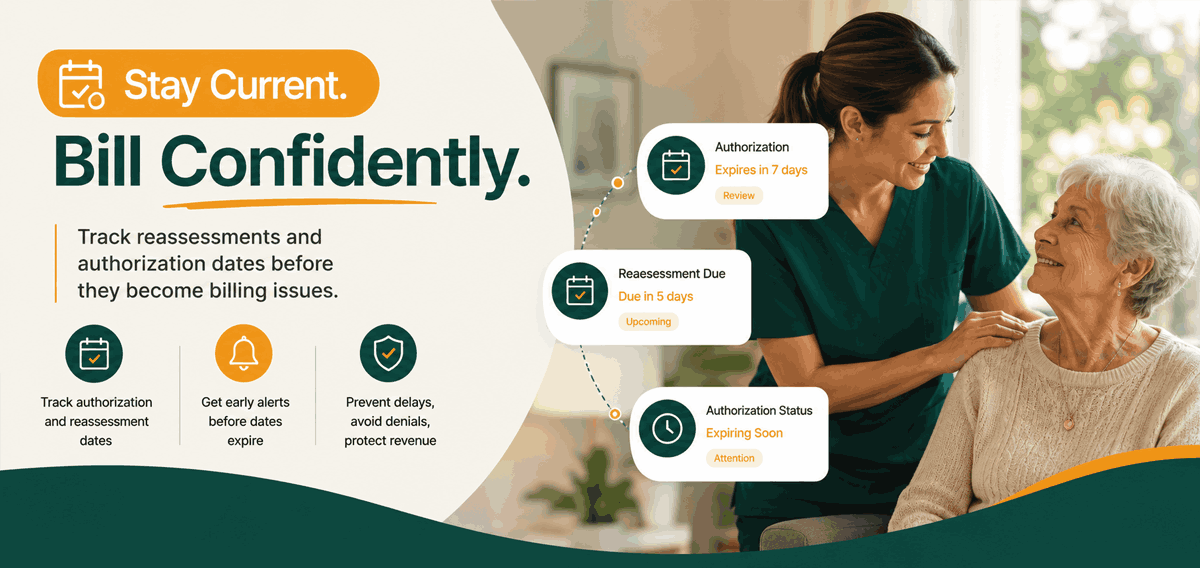
Incorrect data doesn’t cause some billing problems; timing does. A service may have been delivered, but an authorization, reassessment, or other payer-required condition may no longer be current. That’s frustrating because the agency may not notice the problem until billing staff begin reviewing claims.
Software that tracks relevant reassessment or authorization dates can give teams an earlier warning. Caretap’s billing platform includes re-assessment billing tracking, a capability worth examining when comparing systems.
The broader lesson: don’t evaluate billing software only on what happens after a visit. Evaluate how well it helps the agency recognize what must be true before that visit is ready to bill.
5. Support for the Payers and Billing Channels Your Agency Actually Uses
“Supports billing” is too vague to be useful. A better question is: supports billing to whom?
Home care agencies may work with different combinations of Medicaid programs, managed care organizations, Veterans Affairs programs, private insurers, and private-pay clients and the required workflow can differ substantially between them.
Before choosing software, document your agency’s payer mix and ask exactly how each payer is handled:
- Electronic claim submission
- Clearinghouse connections
- Required file formats
- Medicaid or MCO workflows
- Remittance processing
- Corrections and resubmissions
- Private-pay invoicing
- State-specific requirements
Caretap states that its billing platform works with DHS, Zermid, and Availity, and supports DHS and MCO billing workflows.
Don’t choose a platform based on the number of integrations shown on a website. Choose based on whether it supports your agency’s actual billing workflow.
6. Claims-Charged-vs.-Remitted Visibility
Submitting a claim is only part of revenue-cycle management. The more important question is: did the agency actually receive the expected payment?
A billing system should help staff move beyond a simple “submitted” status and understand what happened afterwards identifying:
- Claims that have been submitted
- Payments received
- Claims still outstanding
- Potential underpayments
- Items requiring follow-up
- Remittance information
- Trends that deserve investigation
Caretap provides visibility into Claims Charged vs. Remitted, along with remittance tracking and financial reporting. A clean billing process doesn’t end when the claim leaves your system; it ends when the agency can reconcile what it billed with what it received.
7. Clear Billing Status and Follow-Up Workflows
A billing coordinator shouldn’t need three spreadsheets, an inbox search, and a sticky note to answer “what still needs attention?”
Good home care billing software should make the next action obvious. Caretap includes billing status updates, timely posting of received payments, and follow-up on unpaid bills.
When evaluating software, don’t only ask the salesperson to show you how to create a claim. Ask: “show me what my billing team sees when something hasn’t been paid,” and “show me how we know what requires follow-up.” Those two screens may tell you more about a billing system’s usefulness than the claim-generation screen itself.
8. Flexible Billing Frequency
Billing once a month because “that’s how we’ve always done it” can create unnecessary backlog. When a large batch contains problems, billing teams may suddenly have dozens or hundreds of issues to investigate at once.
A system that supports different billing frequencies can help agencies design a workflow appropriate to their payer mix and staffing. Caretap supports daily, weekly, biweekly, or monthly billing schedules.
More frequent billing isn’t automatically better for every payer or agency. What matters is the flexibility to set a billing cadence that lets the team identify issues, submit claims, and follow up without creating a large administrative backlog.
9. Reporting That Shows Where Billing Problems Actually Come From
A denial shouldn’t only trigger a correction; it should trigger a question: why did this happen?
If the same issue keeps appearing, correcting claims one at a time isn’t solving the underlying problem. Useful billing reporting can help an agency identify patterns such as:
- Repeated payer issues
- Unit discrepancies
- Unpaid claims
- Slow payment patterns
- Billing-status bottlenecks
- Recurring corrections
- Workflow areas that need staff training
Caretap provides detailed billing reports, remittance tracking, and claims-versus-remitted visibility. The goal is to move from “fix this claim” to “why do we keep having to fix this type of claim?” That’s how billing data becomes operational intelligence and real claim denial prevention instead of a permanent cleanup job.
Manual Billing vs. a Connected Home Care Billing Workflow
Billing task | Fragmented / manual workflow | Connected software workflow |
Authorization usage | Spreadsheet / manual lookup | Units and authorization visibility |
Visit information | Separate system | Accessible within connected workflow |
Claim review | Manual checks | Automated validation where supported |
Billing status | Spreadsheet / email | Centralized status visibility |
Remittance | Manual reconciliation | Charged-vs.-remitted tracking |
Unpaid claims | Staff remembers to follow up | Outstanding items surfaced automatically |
Reporting | Multiple spreadsheets | Billing and financial reports |
Billing frequency | Large periodic batches | Flexible billing cycles |
The biggest benefit of home care billing automation isn’t simply doing the same work faster; it’s helping staff spot problems earlier and reduce unnecessary rework.
Which Home Care Agency Management Solution Helps Prevent Billing Errors and Claim Denials?
No single platform is automatically right for every home care agency. The right solution depends on your payer mix, state, services, workflow, size, and existing systems.
But if your primary goal is claim denial prevention and fewer avoidable billing errors, prioritize software that can:
- Validate claims before submission
- Track authorized and used units
- Connect visit and EVV information to billing workflows
- Track relevant reassessments or authorization periods
- Support your actual payer and clearinghouse environment
- Show claims charged versus payments received
- Surface billing status and unpaid items
- Support a practical billing cadence
- Provide reports that help identify recurring problems
If a vendor can’t demonstrate these capabilities during a demo, keep asking questions. A billing platform should do more than help you submit claims; it should help your team determine whether a claim is ready to submit in the first place.
How Caretap Helps Home Care Agencies Build a More Controlled Billing Workflow?
Caretap combines automated claim validation and other home care billing automation capabilities with tools designed to give agencies more visibility before and after claim submission.
According to Caretap’s current billing platform information, capabilities include:
- Automated claim validation before submission
- Re-assessment billing tracking
- Units Used vs. Available reporting (authorization tracking)
- Claims Charged vs. Remitted tracking
- DHS, Zermid, and Availity connectivity
- Billing status updates
- Remittance tracking
- Detailed billing reports
- Daily, weekly, biweekly, or monthly billing options
- Posting of payments and follow-up on unpaid bills
These capabilities give billing teams visibility into issues that might otherwise require manual investigation.
Importantly, no home care software, including Caretap, can guarantee payment or eliminate every denial. Eligibility, payer policies, authorization requirements, state rules, and other factors remain outside any software vendor’s control. The goal is straightforward: catch preventable issues earlier, reduce unnecessary billing rework, and give your team a clearer picture of what’s been billed and what’s been paid.
Want to see what that workflow looks like inside Caretap?
See how Caretap connects billing validation, unit tracking, reassessments, claim status, and remittances in one home care billing workflow.
Catch Billing Errors Before They Become Denials
Home Care Billing Software Checklist
Before your next software demo, use this checklist. Ask the vendor:
- What does the system validate before claim submission?
- Can it show authorized, used, and remaining units?
- How does EVV fit into the billing workflow?
- Can it identify visits that need attention before billing?
- How are authorization and reassessment dates handled?
- Which Medicaid programs, MCOs, and clearinghouses are supported?
- Can we see what was charged versus what was paid?
- How are rejected, denied, or unpaid claims surfaced?
- Can billing staff see outstanding work from one dashboard?
- What billing and remittance reports are available?
- How frequently can we bill?
- Can you demonstrate these workflows using a real example?
A vendor who answers those questions clearly is far more useful than one who simply says its billing is “automated.”
Frequently Asked Questions
How can home care software reduce billing errors?
Home care software can help reduce billing errors by validating information before claim submission, tracking authorizations and units, connecting relevant visit information to billing, and giving staff visibility into claims that need attention. The exact checks available depend on the software, payer, and agency workflow.
Can home care billing software prevent claim denials?
It can help prevent some avoidable denials, but no software can guarantee that every claim will be paid. Denials can result from eligibility, authorization, payer policies, documentation requirements, and other factors. The best systems focus on finding preventable problems before submission and making denied or unpaid claims easier to follow up on afterwards.
What should I look for in home care billing software?
Look for pre-submission claim validation, authorization and unit tracking, EVV compatibility, payer-specific workflows, remittance tracking, billing-status visibility, reporting, and tools for following up on unpaid claims.
How does EVV affect home care billing?
For Medicaid services subject to federal EVV requirements, EVV verifies required information about an in-home visit. States implement EVV differently, so agencies should confirm exactly how EVV information must interact with claims and state systems in their market. CMS requires EVV for applicable Medicaid-funded PCS and HHCS.
What is automated claim validation?
Automated claim validation checks selected claim information against configured requirements before submission and flags potential issues that may require review. The specific validations differ by software and payer.
How can a home care agency catch billing problems earlier?
Start by connecting the workflows that happen before billing authorizations, scheduling, EVV, visit information, and unit usage to the billing review process. Then establish clear exception workflows so staff can see what needs attention instead of discovering issues after submission.
Conclusion
Home care billing doesn’t begin when someone clicks Submit Claim. It begins much earlier with the authorization, schedule, caregiver visit, EVV record, service information, and documentation that eventually support that claim.
That’s why the strongest home care agency management solutions don’t simply make claims easier to submit. They help agencies answer a more important question: is this claim ready to submit?
For home care agencies trying to reduce billing errors and avoidable claim denials in 2026, that should be one of your top criteria when choosing software.
Ready to reduce avoidable denials?