

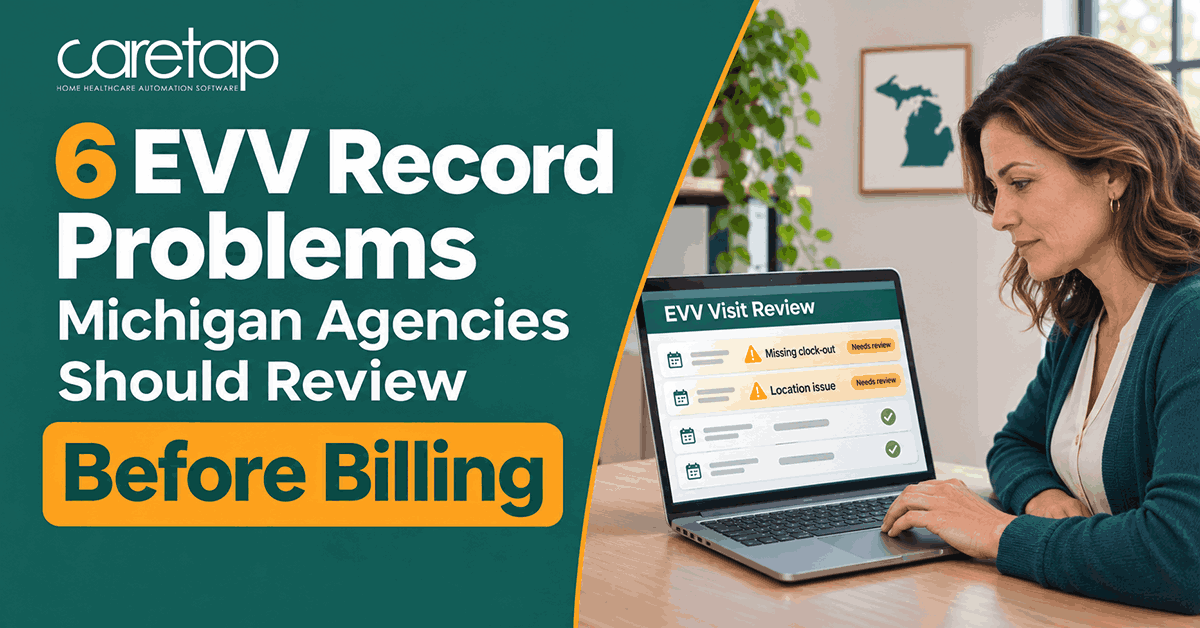

The caregiver completed the visit, and the office has the schedule. Billing is ready to move forward.
Then someone notices the missing clock-out.
- Clock-in
- 9:02 a.m.
- Clock-out
- Missing
- Scheduled end
- 1:00 p.m.
A completed care visit doesn’t always mean the EVV record is complete. Missing times, incorrect details, or unresolved submission issues can delay billing and leave your team chasing records instead of preparing claims. In Michigan, reviewing EVV errors while the visit is still fresh makes it easier to confirm details with the caregiver and correct the record.
These six checks help Michigan home care agencies spot EVV issues before billing, know what to review, and decide next steps.
An EVV record problem doesn’t automatically mean a claim denial
When a visit record looks wrong, your team needs to answer three separate questions:
Visit-record accuracy
Does the record correctly show who provided the service, who received it, when it happened, and where?
EVV submission
Was the required information successfully submitted to the appropriate system, such as HHAeXchange?
Billing readiness
Does the claim meet the requirements of the program and payer?
These issues are related, but they aren’t interchangeable. A visit with a documented manual edit may still be accurate and billable. Likewise, an accepted EVV record doesn’t guarantee claim payment. Michigan’s HHAeXchange configuration tables list EVV and billing requirements separately because each has its own criteria.
Manual edits also matter for compliance. Under Michigan Bulletin MMP 26-10, at least 85% of verified visits each quarter must have no manual edits, measured separately for each payer.
That makes it important to identify and correct errors promptly, while also addressing the underlying causes to prevent them from recurring.
Missing EVV clock-in or clock-out times
A missing start time, end time or both leaves the visit duration incomplete, and the office can’t confirm how long care was provided.
What to review
- The caregiver’s recorded timestamps
- Any visit notes or task documentation that show when care happened
- Your agency’s approved correction process
Example
A caregiver clocks in at 9:02 a.m. and forgets to clock out. The schedule says the visit ended at 1:00 p.m., but the scheduled end time alone isn’t proof of when care ended.
Next action
Confirm the actual visit details with the caregiver and any supporting documentation, then record the correction through your approved workflow. Make sure you’re looking at a missed clock-out, not a visit that ended early or never took place, since each requires different follow-up.
Michigan’s EVV policy lists missing clock-in times, missing clock-out times and manually changed visit times among the circumstances counted in its manual-edit calculation.
If the same caregivers repeatedly miss clock-outs, a short app refresher will usually save more time than correcting each visit one by one.
Missing or questionable EVV location information
Location problems take a few forms: no GPS data from the mobile app, a recorded location that doesn’t match the client’s address, or a missing phone number when the visit was verified by telephony.
What to review
- How the visit was captured
- The caregiver’s device and location permissions
- The recorded location, plus the client’s address and phone number on file
- The requirements of the program involved
Next action
Investigate the discrepancy before changing the record. Missing location data usually points to a device setting, a permissions issue or weak signal.
An unexpected location needs a different kind of investigation: the client’s address on file may be outdated, or the service may have been delivered in a community setting that the program allows. An unexpected coordinate alone does not establish that care wasn’t delivered.
Once you know the cause, follow the applicable documentation and correction process, and update the client profile if the address was wrong.
The wrong client, caregiver or service details
A visit may be recorded against the wrong client, missing a caregiver identifier, or with the wrong service selected.
What to review
- Client and caregiver identifiers
- The date of service
- The service code and how that service maps to the payer
Example
A replacement caregiver covers a shift, but the record still identifies the originally scheduled employee. The care happened, yet the record credits someone who wasn’t there.
Next action
Confirm who delivered which service and correct the information through the proper workflow. Then look at why it happened.
If coverage changes aren’t reflected in the schedule, or a service is mapped to the wrong code in your setup, the same error will keep appearing on future visits. Fixing the source, whether that’s the coverage process, the client profile or the service mapping, prevents the repeat corrections.
Corrections without the required explanation
Corrections are a normal part of EVV. The problem is a changed timestamp or other edit that lacks the supporting information your workflow requires.
What to review
- The original information and the corrected information
- The reason for the change, plus any required reason or action codes
- The audit history showing who made the change and when
Next action
Complete the required documentation and preserve a traceable history. Avoid overwriting the original entry in a way that hides what changed.
The exact fields depend on the system and the connection. In HHAeXchange’s Michigan API specifications, for example, reason and action fields are conditionally required when a visit has been edited. In plain terms, when a visit is changed after the fact, the record should show why it changed and what was done.
Your EVV vendor’s documentation will tell you which fields apply to your setup. If you use a third-party EVV system, make corrections there so the update flows to HHAeXchange, instead of editing the same visit in two places.
Necessary corrections should still be made. Leaving an inaccurate record in place to protect your manual-edit rate only moves the problem into billing.
Visit details that don’t support the proposed billing
Sometimes the EVV record is complete, but it doesn’t match what you’re preparing for the claim. The service, date or units may differ between the two.
What to review
- The actual visit duration
- Service documentation
- The applicable authorization
- The payer’s billing rules
Next action
Investigate the mismatch before releasing the claim, and correct only the inaccurate information. That might be the visit record, the claim or the authorization. Resist changing whichever field makes the numbers match fastest.
Recorded minutes don’t always convert directly into billable units. Service definitions, unit calculations and authorization limits vary by program and payer, so each needs to be verified separately.
In HHAeXchange, authorizations come from the payer, so if one appears missing or outdated, request an update from the payer rather than entering it yourself.
Unresolved HHAeXchange submission issues
A record can look complete in your agency’s software and still have an unresolved transmission or import problem. This applies mainly to agencies using a third-party EVV system that sends visit data to HHAeXchange.
What to review
- The submission outcome and any error response
- Which record was affected
- What follow-up is required
Next action
Resolve the underlying issue through the appropriate vendor or agency workflow, then confirm the outcome. Don’t treat “sent” as proof of successful import.
HHAeXchange publishes import-rejection guidance for third-party EVV connections that explains rejection responses and how to address them.
For services that require EVV, HHAeXchange can’t support a claim for a visit it never received, however complete it looks on your side.
How Caretap supports Michigan EVV visit review
Caretap Free EVV is designed around this kind of daily review, so exceptions can be reviewed as they appear instead of at the end of the pay period.
-
Visit captureCaregivers use the Caretap app on iOS or Android, or telephony from the client’s phone where supported.
-
Real-time visit trackingSee which visits are in progress, complete or incomplete.
-
Documented correctionsMake the fix, record the reason and keep the audit history.
-
Direct HHAeXchange integrationSend verified visits to the state aggregator from the same place you review them.
Guided setup helps your staff and caregivers get started. Agencies can add compliance reporting and billing as optional paid services in the same platform.
No EVV software can resolve every exception automatically or guarantee compliance or claim acceptance. Caretap’s role is to keep visit capture, review and correction in one workflow so your team can work through issues sooner.
Before billing, give every record a next step
Catching Michigan EVV errors at the record level keeps billing day focused on claims rather than investigations. For every unresolved visit:
- Verify the details
- Document necessary corrections
- Confirm the submission outcome